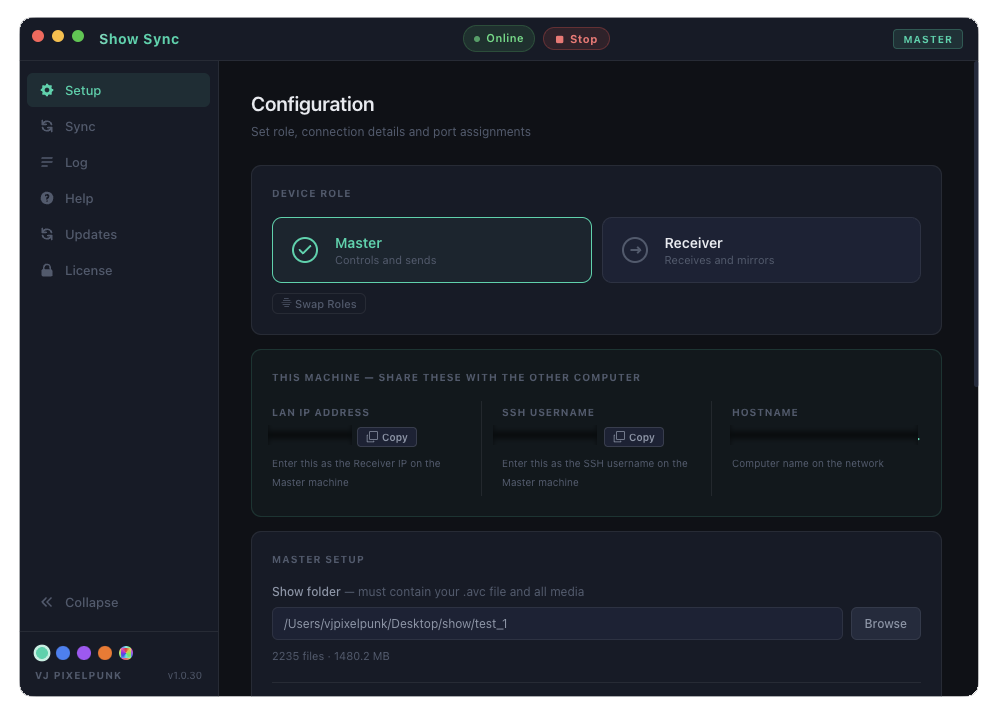
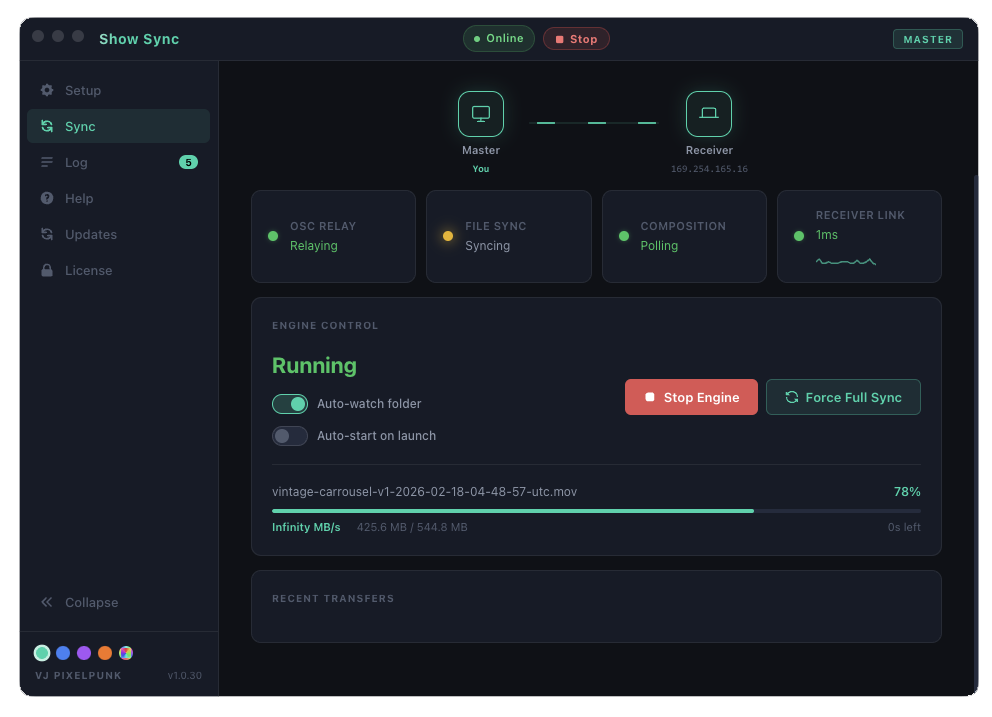
Redundix keeps your Master and Receiver Resolume Arena instances in perfect sync over LAN — files, OSC messages, and compositions — automatically, in real time.
Any file saved to your Master folder is instantly pushed to the Receiver via SSH/SFTP. Supports all Resolume file types including .avc compositions with automatic path rewriting.
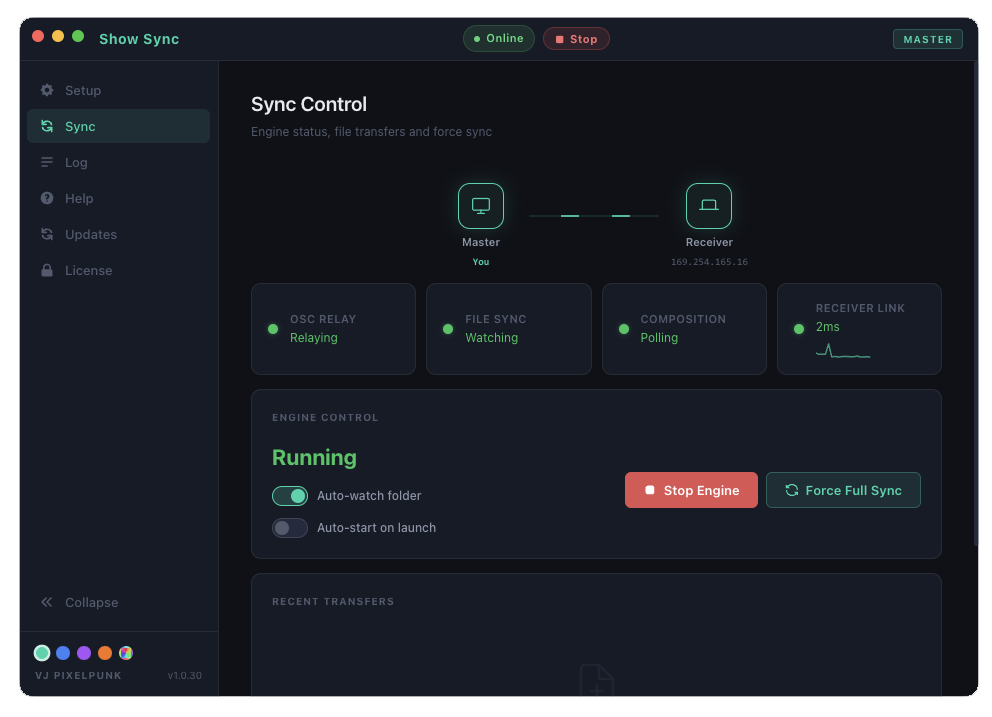
Every OSC message from your Master Arena — fader moves, clip triggers, BPM, parameter changes — is relayed to the Receiver in real time so both rigs stay in lockstep.
Arena REST API polling keeps the active composition in sync between machines so both rigs are always running the same show file.
One click pushes every file in your folder to the Receiver. Perfect for first-time setup or after a big session change before a show.
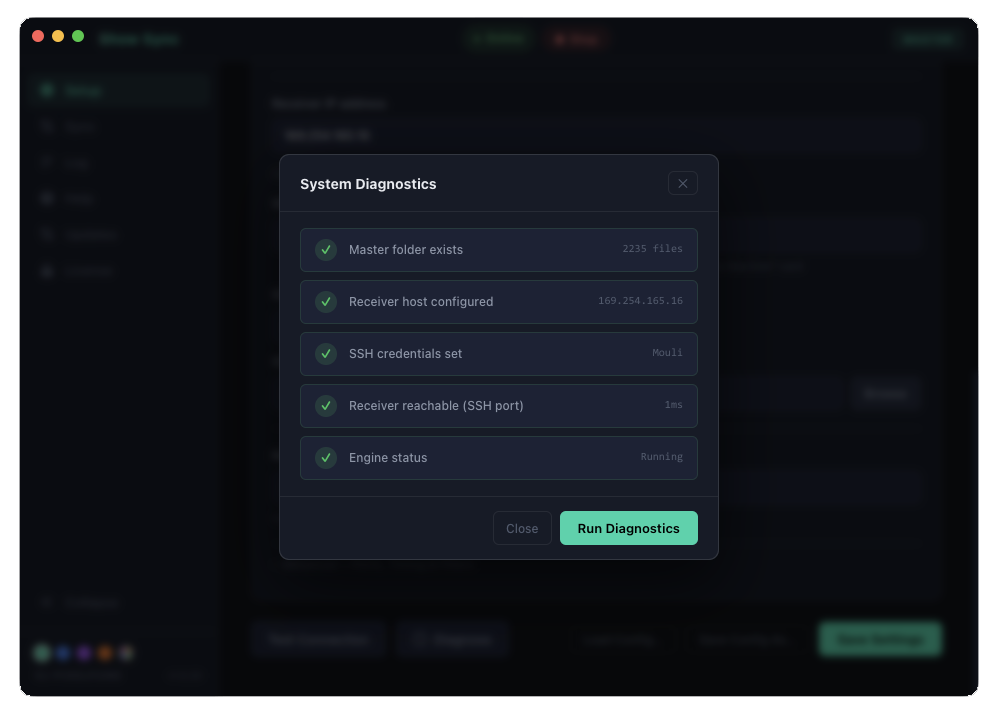
Built-in checks verify your folder, SSH credentials, network ping, and engine status before you go on stage. Know it works before the lights go down.
Master can be Mac, Receiver can be Windows (or vice versa). Path rewriting handles the differences automatically — even inside .avc files.
Download Redundix on Master and Receiver. Activate both with the same key — one license covers two machines.
On Master: set your media folder, Receiver IP, and SSH credentials. On Receiver: set the destination folder and role to Receiver.
Hit Start on both machines (Receiver first). Redundix watches your folder and syncs everything automatically from that point on.
Save a file on Master — it appears on Receiver in under a second. Your backup rig is always ready, always current.
One-time payment. Yours forever. Try the free demo first, no sign-up required.
Need more than 2 machines? Contact us for studio licensing.
Requires Resolume Arena 7 or later. Free updates delivered automatically via the app.
Yes. Redundix handles cross-platform path rewriting automatically, including inside .avc composition files. Master and Receiver can run any combination of macOS and Windows.
No. Once activated, Redundix works entirely over your local network. Internet is only needed for license activation and once-a-month background re-validation.
The engine keeps running and queues any pending transfers. Everything syncs automatically when the connection restores — no manual intervention needed.
Yes, for file transfers. On Windows: Settings → System → Optional Features → Add OpenSSH Server. On Mac: System Settings → Sharing → Remote Login. Redundix's diagnostics panel walks you through this.
Yes, anytime. Go to the License tab in Redundix, click "Unregister This Machine" to free your seat, then activate on the new machine with the same key.
Download the app and click "Try Demo" on the activation screen — no account needed. You get a 30-minute one-time trial with full functionality. Purchase a license to remove all limits.
File sync and OSC relay work with Avenue. Composition polling uses Arena's REST API and won't function with Avenue.
30-minute demo · no account needed · full functionality
macOS tip: If you see "damaged" — open Terminal and run:
xattr -cr /Applications/Redundix.app
Windows tip: If SmartScreen says "Windows protected your PC" — click More info then Run anyway. The app is safe; this appears because it's independently distributed.